Showing posts with label view title. Show all posts

Thursday, May 15, 2008

Frozen / Locked View ports

Someone reported a problem yesterday. Their legend view was locked in the sheet. It could not be selected / moved or deleted. The view didnt have any View Title, as is typical of all legends on sheets.

image

As per our standard, all legend views are supposed to use the "Viewport - No Title" type. However, in this sheet, the user has hidden the viewport using the right click menu > Hide in View > Elements option.

image

Clicking on the yellow light bulb at the lower left corner of the drawing area revealed this hidden element, and after unhidden, it allowed to be moved / deleted, etc.

Monday, May 5, 2008

Hide View Title

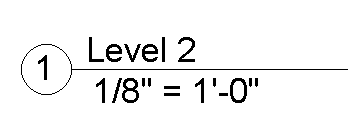
Revit automatically adds View Titles for any views that are added to a sheet.

image

This works well for a lot of views. However, for legends / schedules, you may not prefer a view title. In such a case you can easily switch them off.

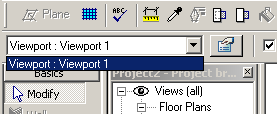
  1. Select the view port in sheet and go to the type selector.
    image
  2. If there are no Viewport types created without a view title, click on the properties button.
  3. Click on "Edit/New..." button, duplicate and name the new type as "Viewport - No Title)
    image
  4. Change the 'Show title' parameter to NO
  5. From here onwards, you could swap the type of the viewport to show or hide the view titles.