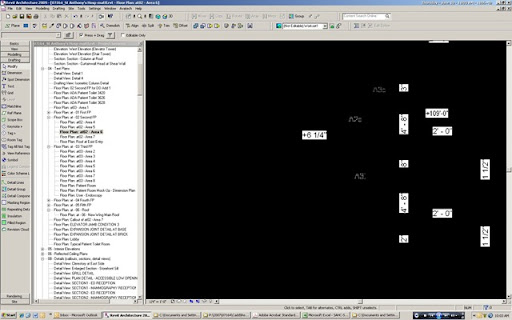
We recently upgraded a 120 MB project to Revit 2009. The upgrade went smoothly. Except for one person. His display blacked out every two hours. The Revit drawing area was fully black and when he hovers over the objects those objects would pre-highlight. Closing the project and opening it again would solve the issue. This is a pain, especially combined with a Serious Error. The display card we used was ati fire gl v 3350. This card was recommended in this thread at augi. (http://forums.augi.com/showthread.php?t=70735) Please read this thread if you have any hardware issues. Wonderful thread.

Here is our chase. Yours might vary!
- Created a new local file. Didn't solve the problem.
- Updated the graphics card driver to the latest version.
- Second thought was to deactivate Open GL in Revit from Settings menu > Options...Graphics tab. The option was not available. (http://revitize.blogspot.com/2008/06/opengl-not-available.html) Even disabling the second monitor and checking the Windows Hardware acceleration didnt help.
- We switched off the windows Hardware acceleration in the Windows Display Properties > Settings tab > Advanced > Troubleshoot tab. But didnt help.
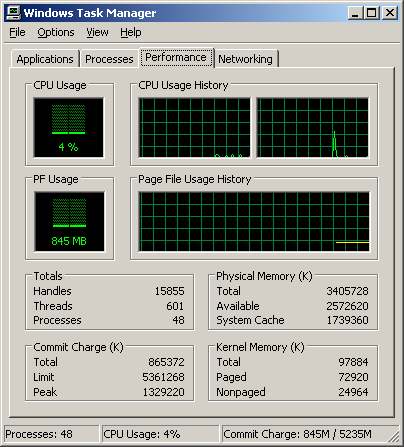
- We did get similar blackouts in ADT 2005 sometime back. In that case, we had to deactivate the support for hyperthreading to solve this. We had set the WHIPTHREAD autocad variable to 0. Since Revit didn't have such a command, we tried setting the AFFINITY in the Windows TaskManager and by using SMP Seesaw based on the "Revit and Dual Core" entry at http://revitcoaster.blogspot.com/
- Because we are running 32 bit version Windows, we had the 3GB switch on. This option, typically creates some issues (cannot access the internet, display issues, unpredictable Windows, etc.). We tried the USERVA setting along with the 3GB switch. Microsoft help on this issue here. This didnt help. Deactivating the 3GB switch altogether also didnt help.
- In the end, we just swapped a nVidia card and things are fine. (We have the "ati fire gl v 3350" in other machines, which work fine too!)